
You can now buy Klusek right inside the Android app. Tap the button, confirm with Google Play, and your Pass is active. Update, November 2026: the iPhone app is now on the App Store, with the same option, paid through Apple.
Buying on the web stays exactly as it is. This is simply a second way, and on a phone it's the shorter one.
Why we added in-app purchases
Most of you open Klusek on your phone. And your phone already knows how you like to pay: your card is saved in Google Play, and on iPhone it will be in the App Store. Sending you to a browser to buy something for an app you already have open never felt quite right.
On a phone, the easiest way to pay is the one that's already there.
So now it's one tap. No switching apps, no typing card details.
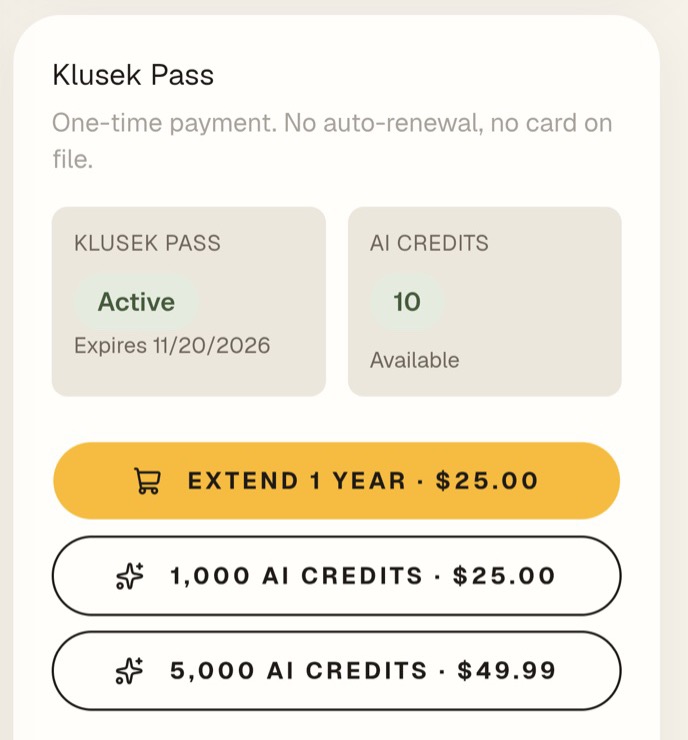
What you get when you buy Klusek in the app
The plan is the same Klusek Pass you can buy on the web:
- A year or 6 months of Klusek, with every module included: Plant Care, Shared Expenses, Shopping List, To-dos, Notes and Guest List.
- $29.99 a year, or $17.99 for 6 months, the same prices as on the web. Google Play shows them in your local currency.
- One payment, no auto-renewal. Nothing renews on its own, so there's nothing to remember to cancel. When you want more time, you buy it.
- Extend without losing a day. In the last 14 days of your plan, you can add the next 6 months or year. It's added on top of the time you have left.
AI credits, too
You can buy AI credits in the app as well, with the same single tap.
One account, every device
What you buy belongs to your Klusek account, not to your phone. Buy a Pass on Android, and it works on the web and on any other device you sign in on. It works the other way round too: a Pass bought on the web works in the app.
And only one of you pays. Invite your partner, family or roommates for free: they get full, unlimited access to everything you share with them. To create their own lists, expenses or plants, they need their own Klusek Pass.
Prefer the web? Nothing changes
If you like buying in your browser, carry on. Buying on the web works exactly as before, at the same price. You can see what's included on the pricing page.
Two ways, one plan. Pick whichever suits the device in your hand.
How to buy Klusek in the app
- Open Klusek on your Android phone.
- Go to Settings and find your plan.
- Tap Get 1 year or Get 6 months (Extend if your plan is still running).
- Confirm with Google Play.
- Give it a moment. Your new end date shows up in Settings, and the purchase appears in your purchase history.
Credits work the same way, from the AI credits section in Settings.
New to Klusek? Start with 30 days free, no card needed, and decide later where you'd like to pay. Have a look at everything Klusek does first.