

In a lot of homes the grocery list lives in a chat thread, somewhere between a meme and a photo of the dog, mostly because one person has an iPhone and the other has an Android. You want to share a grocery list between Android and iPhone without anyone having to switch phones. Good news: it's easy. Google Keep, Bring!, AnyList and Klusek all work on both. Here's what each one is like, honestly.
A quick note first. If you search for this, some older guides still recommend Wunderlist, which was a lovely app, but Microsoft closed it in May 2020 (TechCrunch, checked 23 October 2026). So let's look at what works today.
Why Reminders can't share a grocery list between Android and iPhone
Reminders is great when everyone in the house has an iPhone. To share a list, everyone you invite needs an Apple Account and Reminders turned on in iCloud. That's why a mixed iPhone and Android home usually ends up looking for something else.
1. Google Keep: the quick, free option
Keep is free, and it has apps for Android and iPhone. You make a checklist note, tap Collaborator, add the other person's email, and you can both edit it. Google says collaborators can edit text, lists and images, and that if you delete a shared note you own, it's deleted for everyone (Google Keep Help).
What it does well: it's simple, it's already on most Android phones, and it takes about a minute to set up.
Where it's thinner: it's a notes app, so there are no aisles or categories, and everyone needs to use a Google account to collaborate.
2. Bring!: built for shopping
Bring! is a dedicated shopping list app for iOS and Android. Its website says the core features, including creating and sharing lists, are free, and that shared lists sync across devices in real time, with notifications when someone adds or buys something (getbring.com).
What it does well: it's made for exactly this job, it's cheerful to use, and it's free for the basics.
Worth knowing: their site describes it as an app for phones, tablets and Apple Watch. It doesn't mention a browser version on that page, so if one of you likes to plan the shop on a laptop, check that first.
3. AnyList: shopping plus recipes
AnyList has apps for iPhone and Android, and sharing lists with family is part of the free version, according to its feature comparison (anylist.com/features, checked 23 October 2026). Its paid plan, AnyList Complete, is $9.99 a year for one person or $14.99 a year for a household, and adds things like recipe scaling, item prices and the web app for a Mac or PC (anylist.com/premium, checked 23 October 2026).
What it does well: if you cook from recipes a lot, it's a lovely fit, because the recipes and the shopping list live together.
4. Klusek: one list next to the rest of your home
Klusek works on Android as an app and in any browser, so the iPhone person uses it in Safari or adds it to their home screen like an app. The iPhone app is coming soon. It's the option we use ourselves, so we'll describe it in a bit more detail below.
What it does well: the list sorts by category, you can see who is buying what, and it sits next to your shared bills, chores and plants, so the shopping doesn't need its own separate app.
Worth knowing: until the iPhone app arrives, the iPhone side is the browser version, which most people pin to the home screen and forget about.
How to share a grocery list with family, whichever app you pick
The app matters less than a few small habits:
- One list, not three. Agree on one place for groceries and move everything there. The group chat can go back to being for memes.
- Add things the moment you notice them. Finishing the last of the oat milk and adding it to the list should be the same movement.
- Say who's going. A quick "I'm at the shop" saves a second trip. Some apps let you assign items, which does the same job silently.
- Tick things off in the store. That's how the other person knows the bread is sorted.
The best shared grocery list app for iPhone and Android is the one the whole house opens without being reminded.
If you'd like more on the habits side, our post on the shared shopping list that stops you buying milk twice goes deeper. And if you were using Maple for your family lists, we wrote about where to move your family lists too.
How Klusek helps
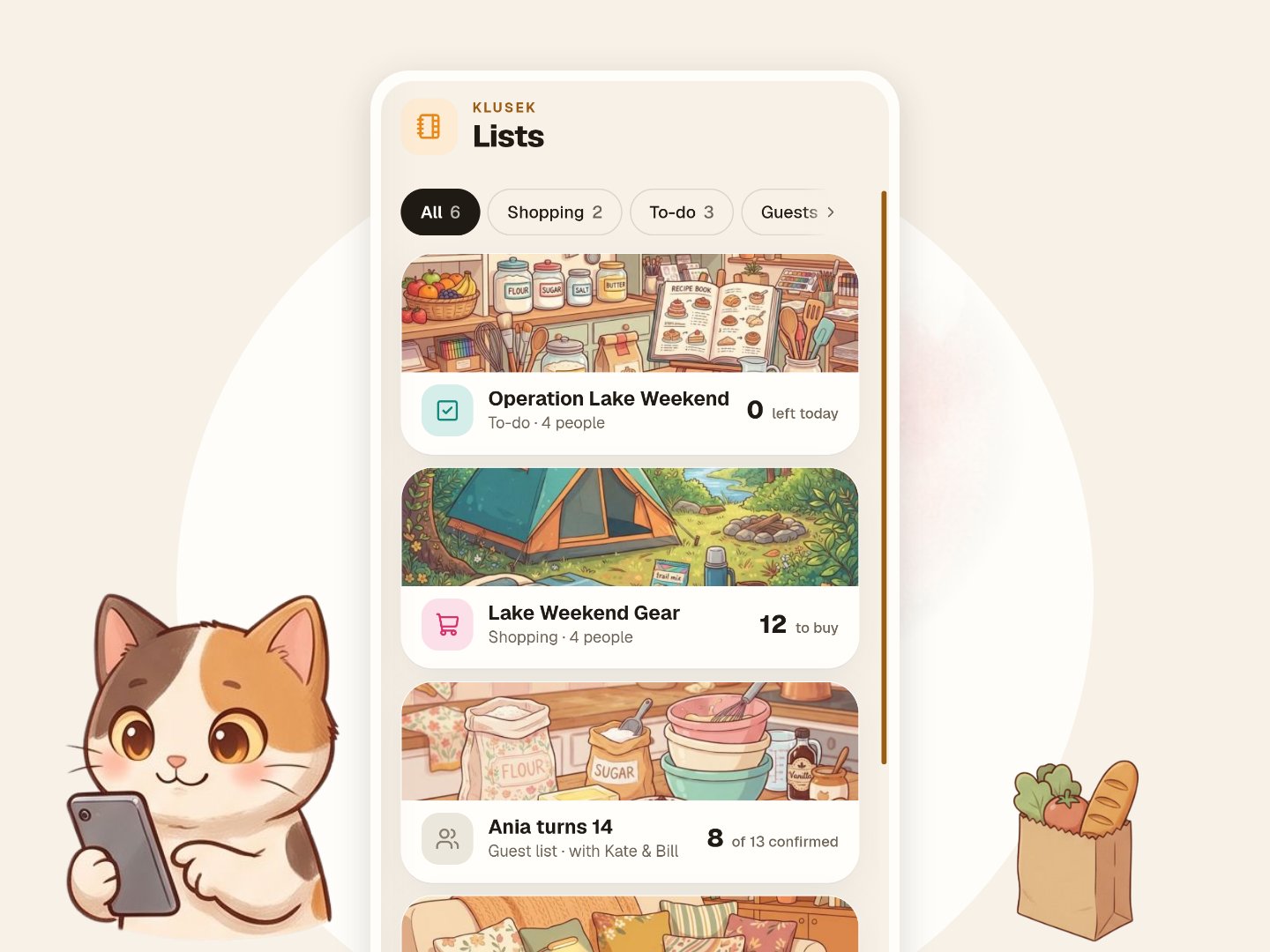
In our home, the weekly shop lives in a shared shopping list in Klusek. Everyone you share it with can add, edit and tick off items, and changes show up straight away, on Android and in the browser. Items group themselves by category, so the list follows the aisles, and you can assign an item to someone so two people in two shops don't both buy bread.
You can keep more than one list, too. The weekly groceries, a list for a trip and a holiday shop each sit on their own, shared with different people if you like. Our Thanksgiving grocery list is a good example of a one-off list that's worth keeping separate.
Klusek is free when you use it on your own. To share a list with your family, one of you needs a Klusek Pass, and the people you invite join for free and get full access to the lists you share with them. There's more about using it as a family on our page for families.
Pick one and try it this week
Whichever you choose, give it one full week before you judge it. The first few days everyone forgets, by Thursday someone adds coffee without being asked, and by the weekend you'll wonder why the list ever lived in a chat.